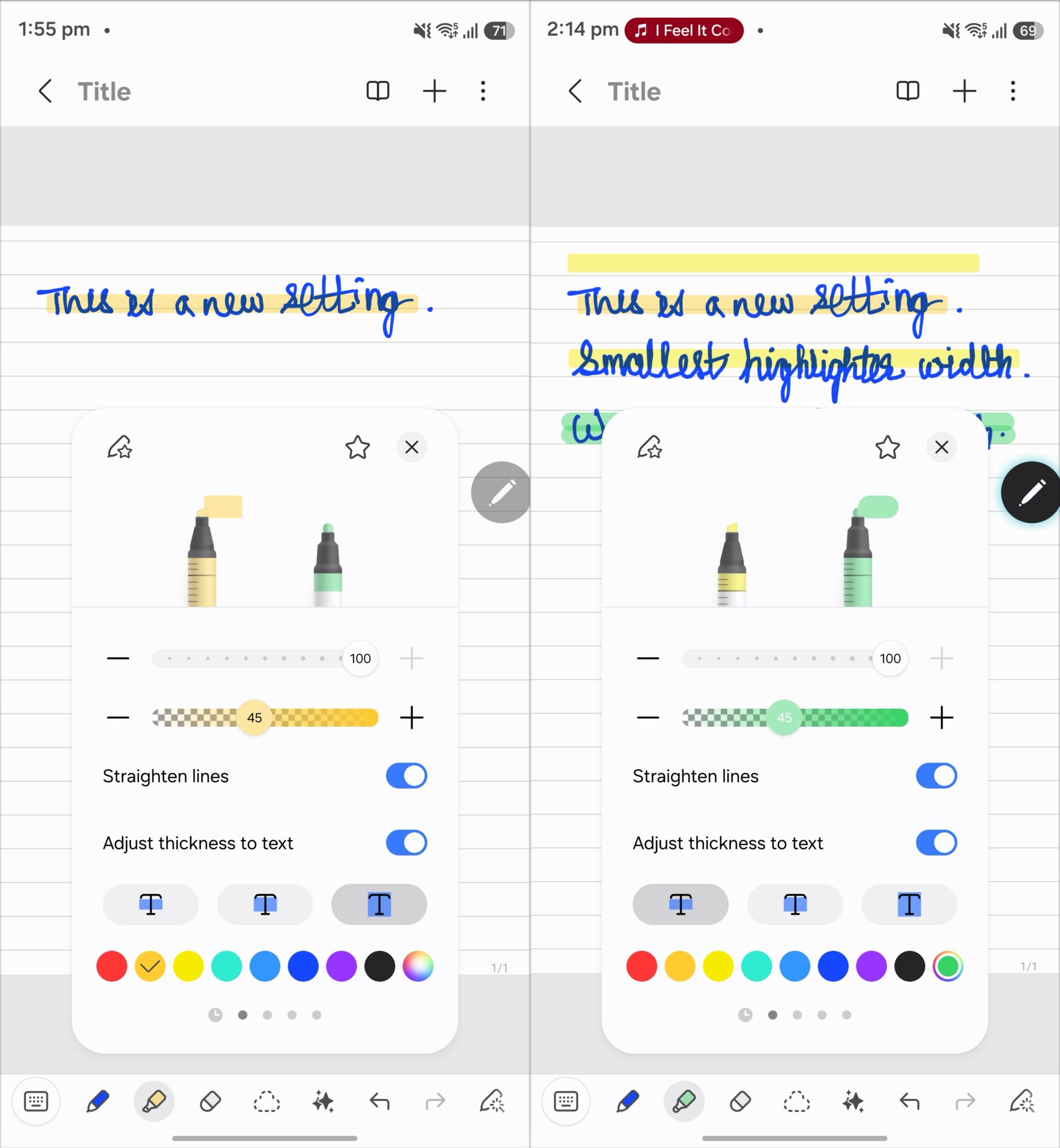

Samsung Notes is a feature-rich note-taking and drawing app, and Samsung adds new capabilities to it almost every year. After a recent update, however, some users reported that they could no longer find the straight highlighter tool.
Addressing user feedback, a Samsung Notes community forum moderator explained that Samsung combined the regular highlighter and the straight highlighter into a single tool. To draw a straight line, users simply need to enable the ‘Straighten Lines' toggle in the Highlighter tool's option menu.

Earlier, there were four highlighter pens:
- Regular Highlighter
- Straight Highlighter
- Regular Marker (round shape)
- Straight Marker (round shape)
Samsung made this change to maintain consistency across its toolset, as the Straighten Lines option is now available for every pen in the Samsung Notes app. The company is also testing a feature to drag handwritten text to make it easier to make room in a note.
In addition to straightening highlights, users can customize a highlight's color, opacity, and width to match the text they are marking up.


Post a Comment